

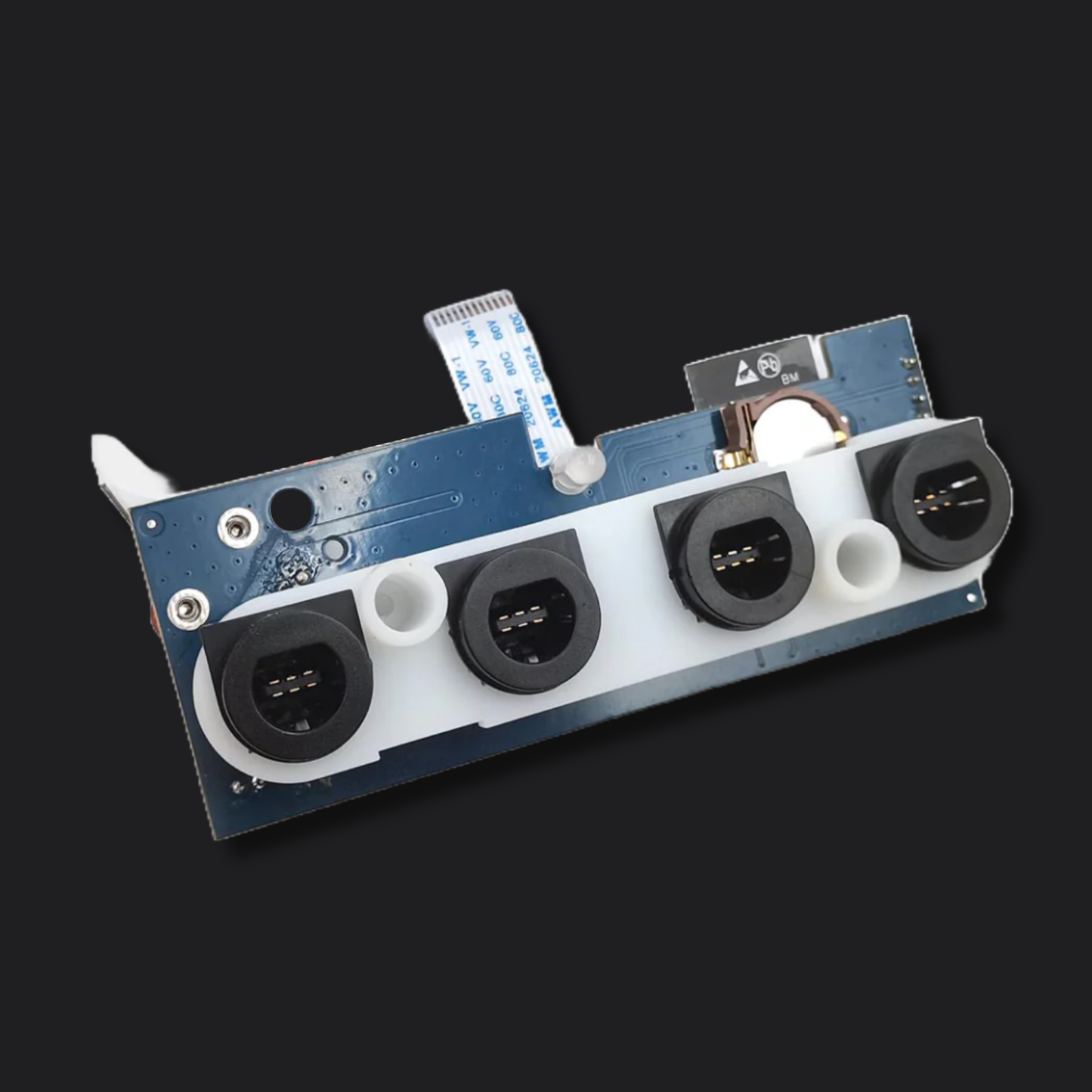
iBlueControlMod Internal Bluetooth Controller Adapter for Nintendo GameCube
Upgrade your Nintendo GameCube with modern wireless controller support using the iBlueControlMod Internal Bluetooth Adapter. This internal modification allows you to connect up to four Bluetooth controllers simultaneously while retaining full compatibility with original wired GameCube controllers.
Looking for a completely internal wireless solution? Unlike external controller-port adapters, iBlueControlMod installs entirely inside the console and supports up to four wireless controllers at once while keeping all controller ports available for original wired controllers.
Designed for easy installation, the iBlueControlMod requires no soldering, wire routing, or shell modifications. Simply open the console, install the adapter, and enjoy wireless gaming with a wide range of modern controllers.
Compatibility
Console Compatibility
- Nintendo GameCube (DOL-001 & DOL-101)
Supported Controllers
- Xbox One S Controllers
- Xbox Series X|S Controllers
- Nintendo Switch Pro Controllers
- Nintendo Switch Joy-Cons
- Wii Controllers
- Wii U Pro Controllers
- PlayStation 3 Controllers
- PlayStation 4 Controllers
- PlayStation 5 Controllers
- Many other compatible Bluetooth controllers
Not Currently Supported
- Nintendo Switch Online GameCube Controller
- Nintendo Switch 2 Pro Controller
If you require support for either of these controllers, we recommend using one of our BlueRetro Wireless Controller Adapters, which support both devices when updated to firmware v25.10 or newer.
Features
- Supports up to 4 Bluetooth controllers simultaneously
- Wired GameCube controllers remain fully functional
- No soldering required
- No trimming or shell modifications required
- No external wires or dongles
- Easy installation using basic hand tools
- Configurable button mapping through the iBlueControlMod configuration software
- Firmware updates available through a compatible PC
- Built-in LED status indicators
- Replaceable CR1220 battery holder
- Sleep mode for compatibility with accessories and peripherals
Installation
- Internal plug-and-play design
- Requires only basic disassembly of the console
- No soldering required
Tools Required
- 4.5mm Gamebit screwdriver
- Phillips #2 screwdriver
Reset Button Functions
Hold for 0–3 Seconds
- Standard GameCube reset
- All four controller LEDs remain solid
Hold for 4–6 Seconds
- Disconnect all connected Bluetooth controllers
- LEDs blink slowly
Hold for 7–9 Seconds
- Enter Bluetooth pairing mode
- LEDs blink at a medium rate
Hold for 10+ Seconds
- Factory reset adapter settings
- Removes all custom configurations
- LEDs blink rapidly
Power-On Sleep Mode
Hold the Reset button while powering on the console to place iBlueControlMod into sleep mode. This temporarily disables Bluetooth functionality and can help resolve compatibility issues with certain accessories.
Important Notes
- Nintendo GameCube console not included
- Compatible only with the iBlueControlMod Configuration Software
- This device is not a BlueRetro product and does not run BlueRetro firmware
- BlueRetro applications are not compatible with this adapter
- Do not install BlueRetro firmware on this device
- Installing BlueRetro firmware may permanently damage the adapter and render it unusable
Package Includes
- 1 × iBlueControlMod Internal Bluetooth Adapter for Nintendo GameCube
- 1 × Digital Instruction SD Card